Tenda Powerline Adapter PH3 AV1000 Gigabit Kit
The Tenda powerline adapter PH3 is a two-piece kit that sends network data through your home's electrical wiring. One adapter plugs in next to the router, the other goes wherever you need a wired connection. The rated speed is AV1000, which means up to 1000 Mbps on the powerline itself, and each unit has one Gigabit Ethernet port.
Real throughput is lower. Expect roughly 200 to 500 Mbps in a typical house, depending on wiring age and what else is plugged in.
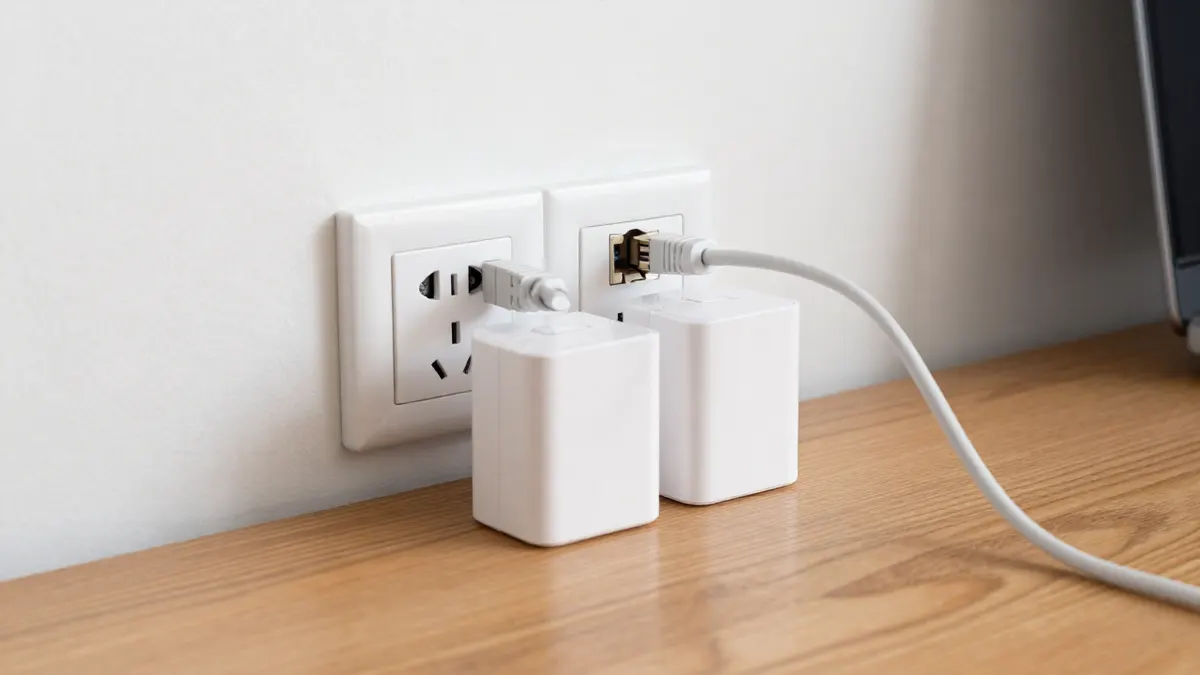
Tenda powerline adapter PH3 specifications
The kit uses the HomePlug AV2 standard, so it works with other HomePlug AV and AV2 adapters, though mixing brands usually costs some speed. Both units are pass-through free in the basic PH3 design, which matters because you lose one wall socket per adapter.
- Powerline rate: up to 1000 Mbps (theoretical)
- Ethernet port: 1 x Gigabit (10/100/1000 Mbps) per adapter
- Range: up to about 300 m of electrical wiring
- Security: 128-bit AES encryption, with a pairing button
- Power use: around 3 to 5 W per unit when active
The 300 m figure is a lab number. Treat it as a ceiling, not a promise for your flat or house.
How to set up the PH3 kit
The kit arrives pre-paired in most cases, so setup takes about two minutes.
- Plug the first adapter into a wall socket near your router.
- Connect it to a router LAN port with an Ethernet cable.
- Plug the second adapter into a socket in the target room.
- Wait about 60 seconds until the powerline light turns solid.
- Connect your PC, console, TV or access point to the second adapter.
If the lights do not settle, press the pair button on the first adapter for about one second, then on the second within two minutes. Hold the button for more than 10 seconds only if you want to reset the unit and generate a new key.
Where powerline works and where it struggles
Plug directly into the wall. Power strips with surge protection filter the signal and can cut speed by half or more. Heaters, hair dryers, phone chargers and old LED drivers add noise too, so a socket shared with a chunky charger is a poor choice.
Both adapters must sit on the same electrical circuit, or at least behind the same consumer unit. Houses with several fuse boxes, or an outbuilding on its own supply, often fail here. A garage or garden office fed by a long buried cable can work, but test before you drill any holes.
For a quick check, run a speed test on a laptop at the far socket. Anything above 100 Mbps is enough for 4K streaming, video calls and most game downloads.
Powerline for Helium and IoT gear
Hotspot miners and LoRaWAN gateways need a stable wired link more than raw speed. A few Mbps is enough for the data, but dropped connections hurt. If your gateway sits in a loft or a window room far from the router, a powerline pair is a sensible fix. It is usually steadier than Wi-Fi through thick walls. Plan your wider Helium network equipment around the same idea: wired backhaul first, wireless only when needed.
If you would rather run a cable, a Cat5e UTP cable handles gigabit up to 100 m and costs only a few euros for a short run. Powerline makes more sense when drilling through walls is not allowed or practical.
Powerline versus Wi-Fi extenders and Ethernet
Ethernet wins on speed and latency every time. A Wi-Fi extender is easy but halves your bandwidth if it shares one radio. Powerline sits in the middle: lower latency than most extenders, no drilling, but sensitive to wiring quality.
If your laptop or PC lacks a port, a USB RJ45 network adaptor solves that side. For fixed installations where you want to make your own patch cables, an RJ45 crimping tool and a spool of cable cost under 40 euros in total.
Frequently Asked Questions
Does the Tenda PH3 have a Wi-Fi function?
No. The PH3 is a wired kit with an Ethernet port on each unit. To add Wi-Fi in the far room, plug a router or access point into the second adapter.
Can I add a third adapter later?
Yes, if it is a compatible HomePlug AV or AV2 unit. Pair it by pressing the pair button on the new adapter and then on one already in the network. Each extra node shares the same total bandwidth.
Why is my speed far below 1000 Mbps?
The 1000 Mbps figure is the combined signalling rate, not what you download. Old wiring, long cable runs, surge strips and noisy devices all lower it. Moving to a different socket often brings a clear gain.
Is powerline safe to leave on all day?
It is designed for it. Each unit draws only a few watts, which comes to about 25 to 40 kWh a year for the pair. Unplug them if you are away for weeks.