Helium Network Equipment for a Stable Hotspot
A LoRaWAN hotspot earns nothing if its connection keeps dropping. Helium network equipment is the unglamorous part of the setup: the cable, the power injector, the adapters and the switch that keep the miner online around the clock. Get these right and the hotspot runs for months without a reboot.
Most hotspots need only two things from the wired side: a network link and power. Ethernet carries both when you add PoE, which is why so many outdoor installs use a single cable up to the antenna mast.
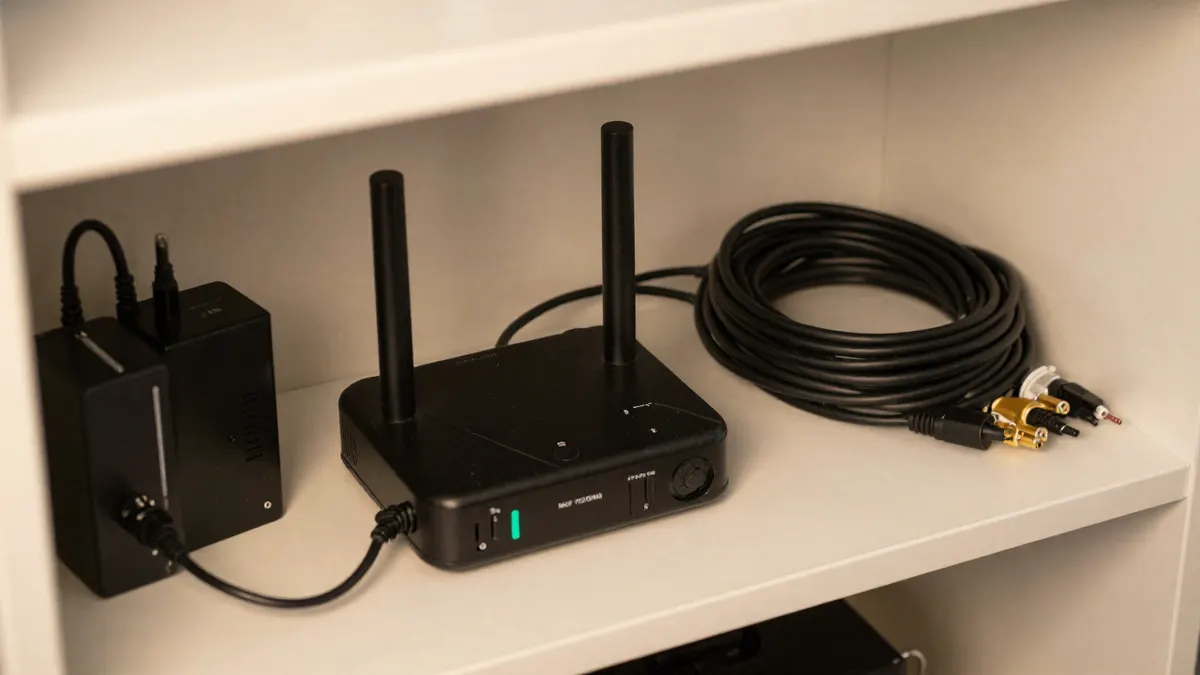
What a Helium hotspot actually needs from your network
Bandwidth is not the issue. A hotspot uses a tiny amount of data, usually well under 1 GB per day, so even a slow home connection is enough. What matters is uptime and low latency, because a miner that disconnects misses coverage challenges and data transfers.
Wired Ethernet beats Wi-Fi for this job. Wi-Fi works on a good day, but walls, interference and router restarts make it the most common cause of an offline hotspot. If you can run a cable, run it.
Cables for Helium network equipment setups
Ethernet is limited to 100 meters per run, measured from the switch or router to the device. Past that, signal quality falls and you get dropped packets or no link at all. A 100m Cat5e UTP cable is the usual pick for reaching a roof or garden shed because it covers the full legal length with a bit of slack for routing.
Cat5e or something better?
Cat5e handles 1 Gbps over 100 meters, far more than a hotspot will ever use. Cat6 costs more and gives you nothing here. A plain Cat5e UTP cable is fine indoors, but for outdoor runs look for a jacket rated for UV and moisture, or run it inside conduit.
Cable tips that save troubleshooting
- Keep the run under 100 meters, and under 90 if you add wall sockets or couplers.
- Avoid bundling it tightly with mains cables over long stretches.
- Use copper cable, not copper-clad aluminum, which fails sooner and drops voltage under PoE.
- Seal outdoor connectors, since a wet RJ45 plug is a frequent cause of random disconnects.
Powering the miner with PoE
Power over Ethernet removes the need for a socket near the antenna. A PoE injector 48V helium setup sits indoors beside the router, sends power and data down one cable, and feeds an outdoor gateway at the other end. Check the label on your miner first, because some accept 802.3af (about 15 W) and others want a passive 24V or 48V supply.
Mixing standards is the mistake that kills hardware. A passive 48V injector plugged into a device that expects 24V can damage it. Read the input rating, match it, and only then connect.
Voltage drop grows with distance and thin cable. On a 100 meter run, a hotspot drawing 5 to 10 W is usually fine, but heavy-draw outdoor units may struggle on cheap wire.
When you cannot run a cable: powerline adapters
Sometimes the router sits in one corner of the house and the hotspot near a window on the other side. Drilling through walls is not always possible. A Tenda powerline adapter kit sends the network signal through your existing electrical wiring, so you plug one adapter near the router and one near the miner.
Real speeds are far below the advertised figures, often 30 to 100 Mbps in practice, which is still plenty for a hotspot. Plug adapters directly into wall sockets, not into extension strips with surge filters, as those block the signal. Both adapters must sit on the same electrical circuit, or at least the same phase.
Powerline is a fallback, not a first choice. Washing machines, phone chargers and dimmers can add noise, and the link may slow at certain hours. If the hotspot goes offline repeatedly, test with a short temporary cable to rule the adapters in or out.
Choosing the right setup by situation
Hotspot indoors near the router
A short patch cable is all you need. Skip extras and keep it simple.
Antenna on a roof or mast
Use PoE with a long outdoor-rated Ethernet cable. Place the injector indoors, protect the cable from water, and add surge protection at the entry point if lightning is common where you live.
Different floor or building
Try powerline first if the wiring is shared. For a separate outbuilding, a buried cable in conduit is more reliable than anything wireless.
Frequently Asked Questions
How long can an Ethernet cable be for a hotspot?
The standard limit is 100 meters per segment. You can exceed it with a switch or PoE extender placed midway, but a single cable should stay within that length for a reliable link.
Do I need Cat6 for a Helium miner?
No. Cat5e supports gigabit speeds, and a miner uses a tiny fraction of that. Spend the difference on better outdoor protection instead.
Can I use any PoE injector with my hotspot?
No, you need to match the voltage and standard on the device label. A 48V injector suits devices built for 802.3af or 48V input, while a 24V passive device needs a different unit.
Are powerline adapters reliable enough for mining?
Often yes, if both adapters share a clean circuit and sit in wall sockets. Expect some variation in speed, and switch to a cable if you see frequent offline alerts.