100m Black Cat5e UTP Cable: What to Know Before You Run It
A 100m Cat5e UTP cable is a single reel of unshielded twisted pair copper, rated for Gigabit Ethernet (1000 Mbps) and for the full 100 metre channel length that the Ethernet standard allows. For a Helium hotspot, a PoE antenna mount or a small network in an outbuilding, that is usually more than enough.
The black version is the one people pick when the run passes through a loft, a garage or along a wall exposed to daylight. Dark jackets tend to hold up better against UV than white or grey ones, though only a cable explicitly rated for outdoor use should be buried or left in full sun for years.
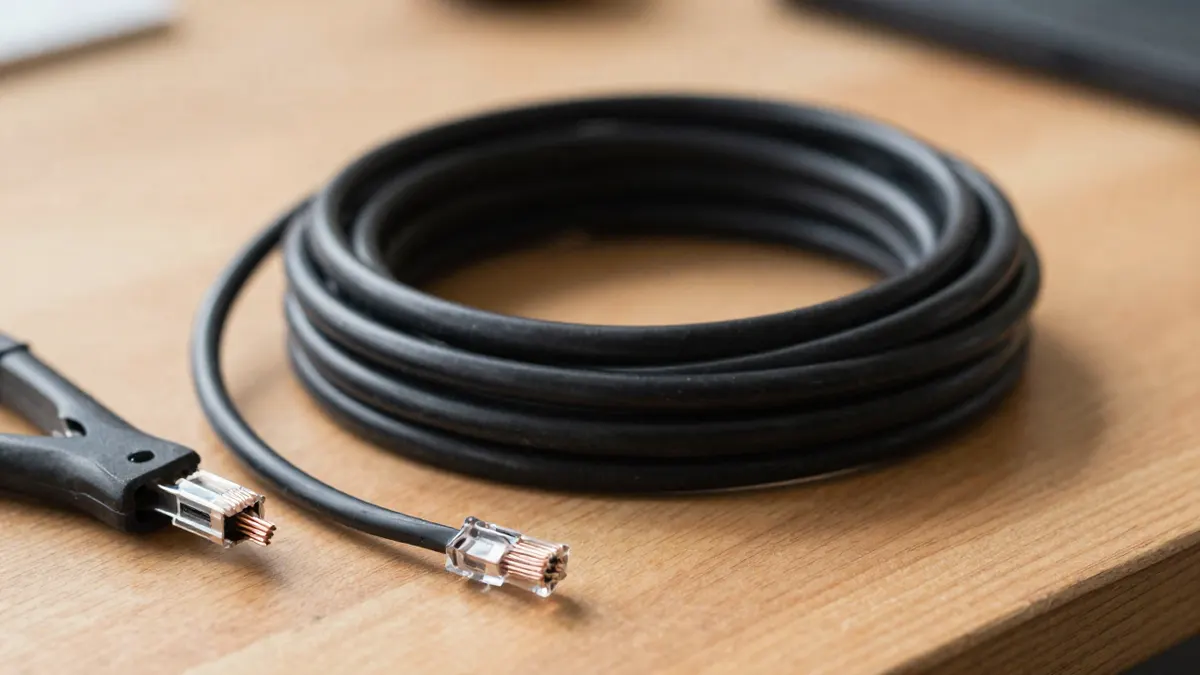
Specifications of a 100m Cat5e UTP cable
Cat5e has four twisted pairs of copper conductors, usually 24 AWG, and a bandwidth of 100 MHz. It carries 1 Gbps comfortably over its full length. It does not reach 10 Gbps, so if you plan for that, look at Cat6A instead.
A few details matter more than the label on the box.
- Copper versus CCA: pure solid copper is the right choice. Copper-clad aluminium is cheaper, breaks more easily and carries less PoE power.
- Solid conductors suit fixed runs. Stranded cable is for short patch leads that get bent often.
- Typical outer diameter is about 5 to 6 mm, which fits through a standard cable gland or a 20 mm conduit with room to spare.
- Prices for a full 100m reel generally start at around 25 to 60 EUR, depending on copper quality.
The "SF" in some listings points to a shielded variant, so check the description. Plain UTP has no foil or braid. That is fine in most homes. Near mains cabling, lifts or motors, shielding can cut interference, but it needs shielded connectors and proper grounding to work at all.
Is a 100m Cat5e cable enough for a hotspot or LoRaWAN gateway?
Yes. A Helium or LoRaWAN gateway needs a few Mbps at most, so Cat5e is far beyond what the device will ever use. The real limit is distance, not speed.
The 100 metre ceiling includes patch leads at both ends. In practice, keep the permanent run to about 90 metres and leave 10 metres for the patch cords. Going past that causes dropped packets, link flapping and, with PoE, a voltage drop that can reboot the gateway.
If your hotspot sits on a roof or mast, a PoE injector at the indoor end is common. Over a long run, a Cat5e cable at 24 AWG loses a little power to resistance, so a 802.3af injector (15.4 W) is a safer match than pushing a high-draw device on 802.3at.
Indoor, outdoor and buried use
Standard black PVC is fine inside. For outside runs, look for a polyethylene jacket, often marked "outdoor" or "UV resistant". Direct burial needs a gel-filled or armoured type. A normal reel pulled through a plastic duct is a reasonable compromise for short sections.
How to terminate the cable
A bare 100m reel has no plugs. You cut it to length and fit your own. That requires a RJ45 crimping tool, a stripper and a pack of connectors. A cheap tool works for ten plugs and gets annoying at fifty.
Pick the right RJ45 connector for the conductor type. Plugs for solid cable have blades that pierce the wire, while stranded plugs grip it differently. Mixing them up is the top cause of intermittent faults.
Follow the T568B colour order on both ends for a straight-through cable: white-orange, orange, white-green, blue, white-blue, green, white-brown, brown. Untwist no more than 13 mm. Push the pairs fully to the end of the plug, check you can see copper at the tip, then crimp. A 10 EUR continuity tester will save an afternoon of guessing.
Choosing between Cat5e, Cat6 and Cat6A
For a hotspot, a camera or a laptop in a workshop, Cat5e is the sensible budget pick. Cat6 costs a little more, is thicker and harder to terminate, and brings little benefit below 55 metres at 10 Gbps. Cat6A makes sense only when you want multi-gigabit speeds.
If you are comparing options, the basics of a Cat5e UTP cable and its limits are the same whether you buy 5 metres or a full reel. What changes is the care you take with routing and terminations.
Adapters for devices without a port
Some tablets and thin laptops have no Ethernet socket. A USB RJ45 network adaptor adds one, and a Gigabit model is plenty for this kind of cable. Make sure it is listed as 10/100/1000, as older ones stop at 100 Mbps.
Routing tips that prevent problems
- Keep at least 30 cm away from parallel mains cables, or cross them at 90 degrees.
- Do not exceed a bend radius of about four times the cable diameter, so roughly 25 mm.
- Never pull with more than about 11 kg of force, and avoid tight plastic ties that squash the pairs.
- Label both ends before you pull the cable through a wall.
- Test every run after crimping, not after you have closed up the ceiling.
Frequently Asked Questions
What is the maximum length of a Cat5e cable?
The limit is 100 metres for the whole channel, including patch cords. Plan for about 90 metres of fixed cable and 5 metres of patch lead at each end.
Can Cat5e carry Gigabit speeds over 100m?
Yes, if the cable is genuine copper and the terminations are clean. Poor crimps or CCA conductors are the usual reasons it falls back to 100 Mbps.
Is black Cat5e cable safe for outdoor use?
Only if the jacket is rated for it. Ordinary black PVC is made for indoor runs and will crack after a few seasons in sun and frost. Look for polyethylene and a UV rating.
Does Cat5e work with Power over Ethernet?
Yes, for standard 802.3af and 802.3at devices on pure copper cable. On long runs, voltage drop becomes noticeable, so check the power draw of your equipment.
Do I need shielded cable for a LoRaWAN gateway?
Usually not. Unshielded cable works well in most homes and small sites. Shielding is worth considering only in electrically noisy places, and it must be grounded properly.