RJ45 Crimping Tool: Choosing One and Crimping Cat5e Cable
An RJ45 crimping tool presses a plug onto the end of a network cable and pushes eight small contacts through the insulation of the wires. That is all it does, but a poor crimp is behind a surprising share of "my Ethernet is slow" complaints. If you run a LoRaWAN hotspot, a miner or a few IoT devices, you will sooner or later need a cable that is exactly the right length, and this is the tool that makes it.
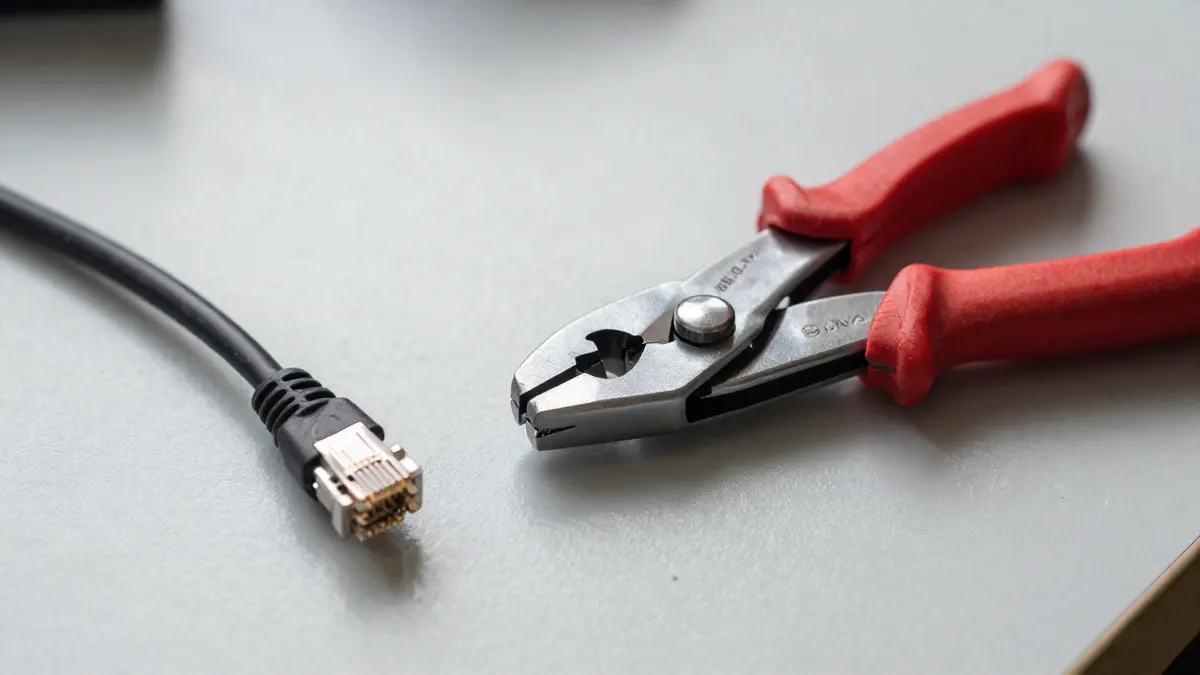
What an RJ45 crimping tool actually does
The jaws hold the plug in a fixed shape. When you squeeze the handles, the contacts inside the plug bite into each of the eight copper conductors, and a ridge locks the cable jacket so the cable does not pull out.
Most models also include a blade for cutting the cable and a stripper notch for removing about 13 mm of outer jacket. Some add a second die for RJ11 telephone plugs (6 positions). Check the jaw markings, because a tool made only for 8P8C plugs will not close properly on an RJ11.
How to choose an RJ45 crimping tool
For occasional home use, a basic tool at around 10 to 20 EUR is enough. Professional ratchet models cost around 30 to 60 EUR and are worth it only if you crimp dozens of plugs a week.
- A ratchet mechanism that releases only after a full squeeze, so every crimp is complete
- Steel jaws, not thin stamped plates that flex under pressure
- Handles long enough to give leverage without hurting your palm
- A built-in cutter and stripper, which saves carrying three separate tools
Pass-through tools, designed for plugs with open ends, let you push the wires all the way through and trim them flush. They are easier for beginners and give a more reliable result, but they need matching pass-through plugs. Standard plugs will not work in them.
Plugs and cable that go with the tool
The tool is only half of the job. You also need plugs that fit the cable type. A pack such as RJ45 connector 10 pcs gives you enough spare plugs for mistakes, and beginners usually ruin two or three before getting a feel for it.
Cable matters as well. Solid-core cable is meant for fixed runs and suits standard plugs. Stranded patch cable needs plugs designed for stranded wire, otherwise the contacts may not grip reliably. For a home or outdoor hotspot setup, a 100m Cat5e UTP cable reel is more than enough, since Cat5e handles 1 Gbps up to 100 metres. A ready-made option like a Nedis Cat5e UTP cable is handy as a reference when you want to compare your own crimp with a factory-made one.
How to crimp an RJ45 plug step by step
- Cut the cable end square with the cutter.
- Strip about 25 mm of the outer jacket, taking care not to nick the pairs.
- Untwist the four pairs and straighten each wire.
- Arrange the wires in the T568B order: white-orange, orange, white-green, blue, white-blue, green, white-brown, brown.
- Flatten them side by side and trim the ends to about 12 mm from the jacket.
- Slide them into the plug, contacts facing up and clip down, until every wire touches the end.
- Check that the jacket reaches slightly past the strain-relief ridge.
- Squeeze the tool fully, then test the cable.
Use the same colour order on both ends for a standard straight-through cable. A crossover needs T568A on one side, but almost every modern device detects this by itself, so you rarely need one.
Common crimping mistakes
The most frequent fault is a wire that stops short of the plug end. It looks fine from the outside, yet one pin has no contact, and the link drops to 100 Mbps or fails entirely.
Another is untwisting too much. Cat5e relies on twisted pairs to cancel interference, so keep the untwisted section under 13 mm. Too much exposed wire causes crosstalk and unstable speeds over longer runs.
A cheap cable tester, around 8 to 15 EUR, shows within seconds whether all eight lines are connected. Use one every time, especially for cables that will be buried or hidden behind a wall.
Frequently Asked Questions
Can I use any crimping tool for any RJ45 plug?
Not always. Standard tools suit standard open-back plugs, while pass-through plugs require a tool with a matching blade. Shielded plugs are also slightly larger, so check the tool accepts them.
Which wiring standard should I use, T568A or T568B?
Both work, as long as both ends of the cable match. T568B is more common in Europe and in most pre-made patch cables, so it is the safer default.
How many times can a crimped plug be reused?
In practice, not at all. Once crimped, the contacts are deformed and the plug latch is often damaged. Cut it off and fit a new one.
How long can a self-made Cat5e cable be?
The limit is 100 metres for the whole channel, including patch cables at each end. For Power over Ethernet devices such as outdoor access points, staying below 90 metres of fixed cable leaves a useful margin.
Do I need a tester after crimping?
It is strongly advised. A visual check cannot reveal a bad contact, while a basic tester confirms continuity on all eight wires in a few seconds.