PoE Injector 48V for Helium Hotspots: What to Know Before You Mount
A PoE injector 48V for Helium hotspots does one job: it pushes DC power down the same Ethernet cable that carries your data, so the miner on the roof or mast needs no separate power lead. Most outdoor LoRaWAN gateways accept this setup, and a 48V 0.5A unit is the common choice for them.
Check the label on your gateway first. Some units take 48V PoE directly, others need a splitter to step the voltage down.
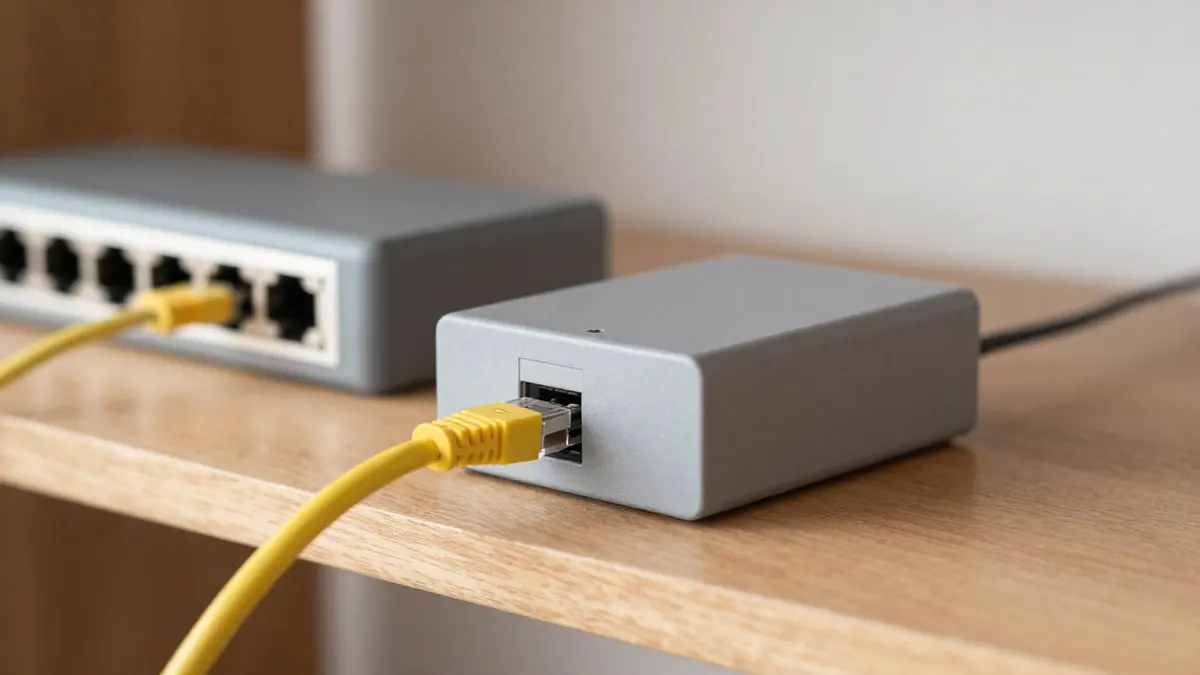
How a PoE injector 48V works with a Helium miner
The injector sits indoors, between your router or switch and the cable that runs outside. Mains power goes into the injector, and it adds 48V DC onto spare wires in the Ethernet cable. At the far end the hotspot receives both data and power through its single RJ45 port.
The benefit is practical. An outdoor antenna placed high up, often 5 to 15 metres above ground, sees much farther than one behind a window. Running one cable up there is far simpler than finding a dry socket on a chimney or pole.
Two things matter in the setup:
- The injector connects to the router with a short patch cable, and the long run goes from the injector's PoE output to the hotspot.
- The injector must never be plugged into a switch port that is also supplying PoE, since two power sources on one cable can damage equipment.
PoE injector 48V 0.5A: what the numbers mean
48 volts multiplied by 0.5 amps gives 24 watts. That is the ceiling the adapter can deliver, not what your hotspot draws. A typical LoRaWAN gateway uses somewhere between 3 and 10 watts, so 24 watts leaves a comfortable margin.
Some of that power is lost in the cable. Over 50 metres of decent copper cable the loss is small, usually well under 1 watt at these loads. Cheap copper-clad aluminium cable is a different story, and I would avoid it for any outdoor run.
Passive or standard PoE?
Many cheap injectors are passive. They send 48V down the cable all the time, without checking whether the device at the other end can handle it. Standard 802.3af/at injectors negotiate first and only send power to a compatible device.
If your gateway is built for passive 48V, a passive injector is fine. If you are unsure, or you plan to connect a laptop or camera to the same cable at some point, a negotiating injector is the safer pick.
Cable length and cable type
Ethernet is rated for 100 metres between the injector and the device. Stay under that. Beyond it, data errors appear well before power fails, and the hotspot will drop off the network without any clear warning.
For outdoor use choose shielded Cat5e or Cat6 with a UV-resistant jacket. Ground the shield properly, because a long cable on a mast acts as an attractive path for lightning-induced surges. An inline surge protector near the building entry costs around 10 to 20 euros and is a sensible addition.
Plug type and regional versions
Injectors for the European market come with a standard two-pin plug. If you are setting up in Britain, you need a different version, such as a 48V PoE injector UK plug, because a plug adapter on a power brick is neither neat nor always safe in a damp enclosure.
When the hotspot needs 12V or 5V
Not every device in a hotspot installation takes 48V. A small router, a camera or a sensor board may need a lower voltage. In that case a PoE splitter 48V to 12V sits at the remote end and gives you a barrel connector with the right output. For USB-powered boards and small single-board computers, a PoE splitter 48V to 5V does the same at the lower voltage.
Check the splitter's current rating against the device. A 12V gadget drawing 1A needs a splitter rated above that, and 2A gives breathing room.
Weatherproofing and placement
Injectors are indoor devices. Keep yours in a dry spot with some airflow, because a unit stuffed in a closed cupboard runs warm. Outdoors, the RJ45 connection at the hotspot is the usual weak point. Use a rubber boot or a waterproof gland, and form a drip loop in the cable just before it enters the enclosure so water runs off rather than in.
A few quick checks when something does not work:
- Look for the power LED on the injector.
- Confirm the cable goes into the PoE output port, not the data input.
- Test with a short cable to rule out a damaged run.
- Measure voltage at the far end if you have a multimeter, expecting about 46 to 48V.
Frequently Asked Questions
Is a 48V 0.5A injector enough for a Helium hotspot?
Yes, in nearly all cases. The injector supplies up to 24 watts and most LoRaWAN gateways draw under 10 watts. Always check the voltage printed on your hotspot, since it must match.
Can I use a 48V injector on a 12V device?
No, not directly. Feeding 48V into a 12V input will destroy it. Use a splitter that converts the voltage at the device end.
How long can the Ethernet cable be?
Up to 100 metres in total, counting every patch lead and joint. Past that, signal quality drops and the connection becomes unreliable.
Do I need a shielded cable?
For outdoor runs, yes, it is the better choice. Shielded, grounded cable resists interference and gives some protection from surges on exposed masts.