SenseCAP Wireless Barometric Pressure Sensor for LoRaWAN EU868
The SenseCAP wireless barometric pressure sensor is a battery-powered probe that reads atmospheric pressure and sends it over LoRaWAN on the 868 MHz band used in Europe. It is built for places where running a cable is a pain: greenhouses, weather stations, remote pumping sites, storage rooms and farm buildings.
Typical measurement range is 300 to 1100 hPa, which covers everything from a mountain village to sea level, with an accuracy around ±0.5 hPa at room temperature. That is good enough for trend tracking, which is what most people use pressure data for.
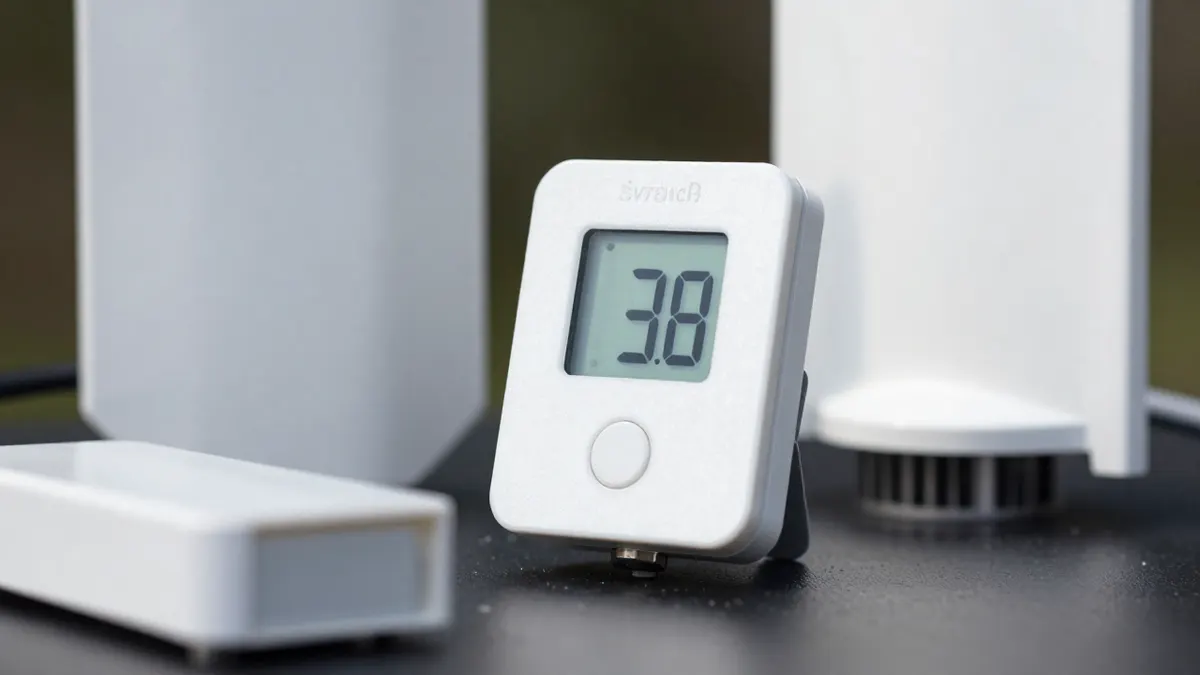
What the SenseCAP wireless barometric pressure sensor measures
Barometric pressure on its own tells you little. Its value comes from change over time. A drop of 3 to 4 hPa over three hours usually signals incoming bad weather, while a slow, steady rise points to stable conditions.
Most units in this family report pressure at a default interval of 10 to 60 minutes. You can shorten it, but every extra uplink drains the battery faster and eats into your LoRaWAN airtime budget.
- Pressure range: about 300 to 1100 hPa
- Resolution: roughly 0.1 hPa
- Radio: LoRaWAN, EU868 band, Class A
- Power: built-in battery, often rated at 2 to 3 years at a 60 minute interval
- Enclosure: IP66 or better on outdoor-rated versions
Range and gateway coverage
LoRaWAN range depends heavily on terrain. In a city expect 1 to 2 km to the nearest gateway. In open countryside, with the sensor mounted a few meters off the ground, 5 to 10 km is realistic and line-of-sight links can go further.
If the sensor sits in a basement or a metal cabinet, signal drops fast. Mount it near a window or move the gateway closer. A SenseCAP outdoor gateway placed on a roof or mast usually solves coverage for a whole farm or small industrial site with a single unit.
Using the sensor with Helium and other networks
Because the sensor speaks standard LoRaWAN, it can join public community networks or a private network server. Many people choose Helium for the low per-message cost, and the list of IoT devices for helium keeps growing as more sensor types gain support.
Before you plan anything, check that your area has hotspot coverage. A sensor that cannot reach a gateway is just an expensive paperweight, and coverage maps are often out of date by a few months.
Activation and payload decoding
Setup normally takes about ten minutes. You enter the device EUI, application EUI and app key into your network console, power the sensor on, and wait for the join request to succeed. The payload arrives as hexadecimal, so you need the manufacturer decoder to turn it into a readable hPa value.
Placement tips that improve readings
Keep the sensor out of direct sun. Heat from the housing can skew the internal temperature compensation and nudge readings by a fraction of a hPa. A shaded wall, a pole under an eave or a small radiation shield all work.
Avoid spots near air vents or doors. Sudden gusts create short pressure spikes that look like noise in your charts. Indoors, an interior wall away from heating is a safer choice.
Altitude matters too. Raw station pressure is not the same as the sea-level pressure quoted in weather forecasts. To compare the two, you need to apply an altitude correction, roughly 1 hPa for every 8 meters of elevation near sea level.
Pairing pressure data with other sensors
Pressure is more useful next to temperature and humidity. If you also care about indoor air, a device such as the Atmotube Pro air quality monitor covers particulates and volatile compounds, which a barometric probe will never see.
For a weather node, many people combine pressure with wind, rain and soil probes, all reporting to the same gateway. That keeps the network simple and the battery swaps infrequent.
Battery life in practice
The 2 to 3 year figure assumes mild weather. Cold is hard on batteries. Below -10 °C, capacity can fall by a quarter or more, so plan for a shorter service life on exposed alpine or northern sites. A weaker signal also forces higher spreading factors, which burn more energy per message.
Frequently Asked Questions
Does the sensor work outside Europe?
This version is tuned for the EU868 band. In other regions such as North America you need a different frequency variant, because the radio hardware and legal channel plans differ.
How often should I set the reporting interval?
Every 15 to 30 minutes is plenty for weather trends. Going below 5 minutes shortens battery life noticeably and rarely adds useful information for pressure.
Can I use it indoors?
Yes. Pressure readings work the same indoors, and the signal only needs to reach a gateway. Thick concrete walls can reduce range, so test the link before fixing the sensor in place.
Is a gateway required?
Yes. The sensor sends radio packets to any LoRaWAN gateway in range. You can use your own, or rely on a public network if there is coverage nearby.