Heltec CubeCell HTCC-AB02S LoRa 868 Mhz Helium Mapper (DIY)
A Heltec CubeCell Helium mapper is a small LoRaWAN tracker that sends its GPS position to the network, so you can see which streets and fields a hotspot actually covers. The HTCC-AB02S is the board most people pick for the DIY route. It combines an ASR6501 chip (a PSoC 4000 series microcontroller plus an SX1262 radio) with a built-in GPS receiver, and the 868 MHz version fits European LoRaWAN settings.
Expect to spend around 20 to 30 euros on the board, and a little more for a battery and a case. Nothing here is a finished product. You flash it, configure it and carry it yourself.
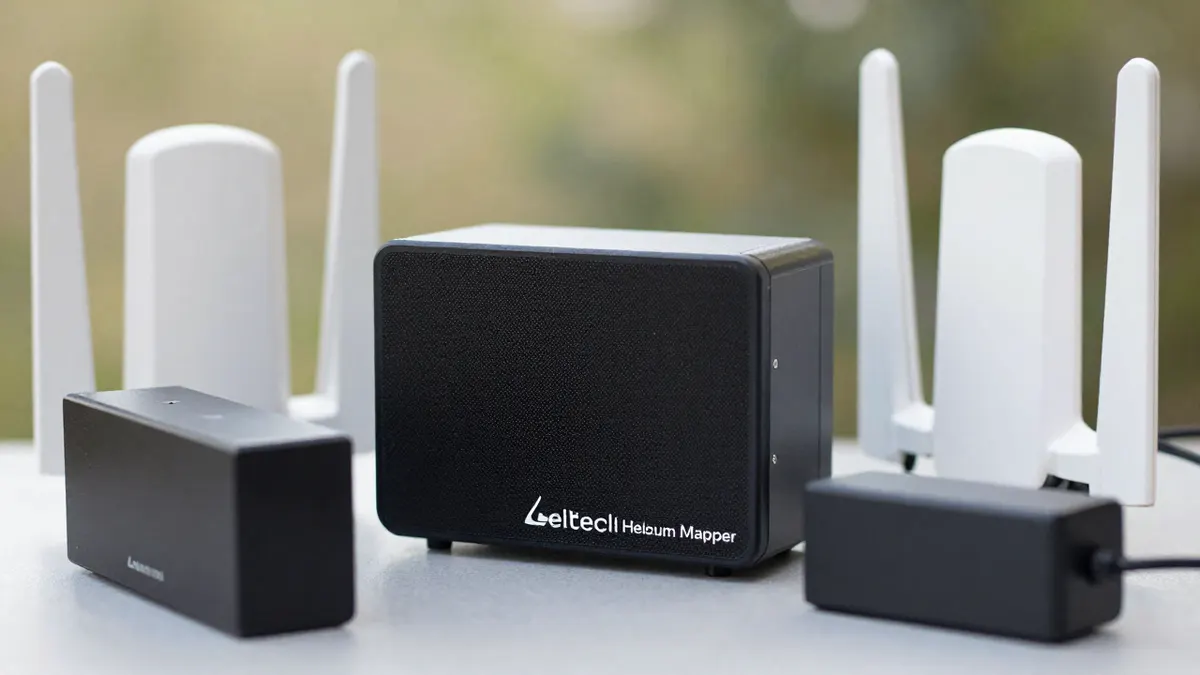
What the HTCC-AB02S board gives you
The board is tiny, roughly the size of a matchbox lid. It has a 0.96 inch OLED screen, a GPS module, a solar input and a connector for a 3.7 V lithium battery. Deep sleep current is in the microamp range, which is why a small cell can run a mapper for many hours.
- Frequency: 868 MHz (EU868 band)
- Radio chip: SX1262, up to about 21 dBm output
- Positioning: built-in GPS, with an OLED to show the fix
- Power: USB, lithium battery or small solar panel
The OLED is handy in the field. You see at once whether the GPS has a fix, and that saves a lot of pointless walking with a tracker that knows nothing about where it is.
Cubecell HTCC-AB02S LoRa mapper: parts and setup
Besides the board you need a USB cable that carries data (many charge-only cables fail here), a lithium battery of 500 to 1000 mAh, and an 868 MHz antenna. Always attach the antenna before powering up. Transmitting without one can damage the radio.
Flashing the firmware
Most builders use the Arduino IDE with the Heltec CubeCell board package, then load an open-source mapper sketch written for this board. Install the USB serial driver first, pick the right COM port, and upload. The first compile takes a few minutes, which is normal.
Registering the device
The mapper needs its LoRaWAN keys (DevEUI, AppEUI and AppKey) entered in the sketch. You create these in the Helium console or in a compatible network console, along with an integration that forwards position data to the mapping service. Keep the keys in a note on your computer. Reflashing the board without them is a nuisance.
Testing before you leave
Power it near a window and wait for a GPS fix, which usually takes 30 seconds to 2 minutes outdoors from a cold start. Check that uplinks appear in the console. If they do, the build works, and any later gaps in the map come from coverage, not from your setup.
Real-world range and mapping tips
In a city, a hotspot with a good outdoor antenna is typically heard at 1 to 3 km. In open country with line of sight, 5 to 10 km is common, and a few exceptional links go beyond that. Indoors, or at ground level inside a car, expect far less.
Place the mapper on the dashboard near the windscreen or on a backpack strap. Metal roofs and your own body block 868 MHz signals more than people expect. Set the transmit interval to around 30 to 60 seconds when walking and 10 to 20 seconds when driving, otherwise you leave holes in the track.
Mind the duty cycle limits in Europe. In the common 868 MHz sub-bands, the legal limit is around 1 percent airtime, and a fast interval with a high spreading factor can push you past it. Lower spreading factors use less airtime but have a shorter reach.
DIY or ready-made?
The DIY board suits anyone who is comfortable with Arduino and wants to learn how LoRaWAN uplinks work. It costs less, and you can change the firmware. If you just want to map and not tinker, a Plug-and-play helium mapper skips flashing and key setup entirely, though it costs more.
Mappers only measure coverage. They do not earn anything by themselves, and a hotspot needs its own hardware. If you are planning a wider setup, look at the range of IoT devices for helium before choosing a sensor or tracker. A single-board computer such as the Raspberry Pi 4 Model B is useful for running a gateway or a local network server alongside your tests.
Common problems
No GPS fix usually means the board is indoors or the antenna sits under metal. A board that resets again and again often has a weak battery or a poor USB cable. Uplinks that show in the console but never reach the map point to a broken integration, not to the device.
Frequently Asked Questions
Is the HTCC-AB02S the right version for Europe?
Yes, if you buy the 868 MHz variant, which matches the EU868 plan used across most of Europe. The 915 MHz variant is meant for the US and other regions and should not be used on European networks.
How long does the battery last?
With a 1000 mAh cell and an update every 30 seconds, plan on roughly 6 to 10 hours of active mapping. Longer intervals and a small solar panel stretch that considerably.
Do I need to know how to solder?
Not always. Many builders just plug in the battery connector and use the USB port, so a basic build needs no soldering. A solar panel or an external antenna connector may need a few joints.
Can I map without owning a hotspot?
Yes. The mapper talks to any hotspot within range, and it is used to test other people's coverage as well as your own. You only need a hotspot if you want to improve coverage at a specific spot.
Why does my mapper show no uplinks?
The most common causes are wrong keys, a missing antenna, or being outside hotspot coverage. Test near a known hotspot first, and check the keys character by character.